
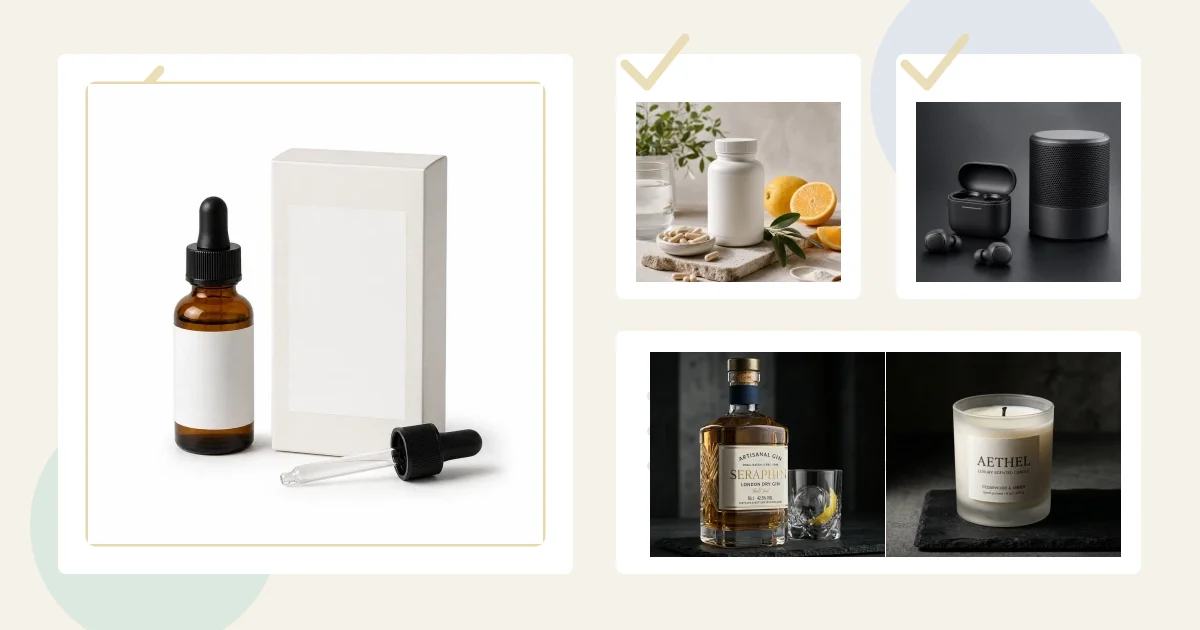
Quick answer: Walmart's US Marketplace Learn guide, updated May 12, 2026, recommends at least four accurate, non-duplicated images. Prepare square RGB files up to 5 MB, with 2200 x 2200 pixels listed as the target and 1500 x 1500 as the minimum for zoom. Use a seamless white primary image that clearly shows the item, then use secondary images for angles, scale, packaging, details, and appropriate lifestyle context. Always check Seller Center for category-specific rules before uploading.
Walmart Marketplace product image requirements are built around trust. A buyer scrolling search results needs to know exactly what is included, what the product looks like from the front, and whether the listing feels professional enough to buy from. If your primary image looks like a social ad, a supplier thumbnail, or a cluttered lifestyle shot, the listing can lose both compliance and clicks.
Most sellers looking this up are close to publishing or fixing a listing. They are not asking for a definition of product photography. They need a compliant image stack that can go into Seller Center and compete with better-funded brands.
Free technical preflight: Before upload, run the file through the ecommerce product image checker to catch dimension, file-size, format, aspect-ratio, and common border/background issues. Then use the platform-specific guidance on this page for the final publishing decision.
Marketplace listing images
Want a practical recommendation for your product?
Share the product, sales channel, deliverables, and timing. Pixelense will recommend the clearest scope without changing the published starting rates.
The Walmart Image Rules That Matter Most
Walmart's current US Marketplace Learn image guide was last updated May 12, 2026. It says images must be accurate, truthful, rights-compliant, in focus, professionally lit, and aligned with product details. It recommends a minimum of four images and warns that noncompliance can leave products unpublished. Category requirements may add further rules.
| Check | Walmart US guidance reviewed July 30, 2026 |
|---|---|
| File format | JPEG, JPG, PNG, or BMP; GIF is not permitted. |
| Color and depth | RGB, 8 bits per pixel. |
| Dimensions | 2200 x 2200 pixels listed; at least 1500 x 1500 for zoom. |
| Shape and background | 1:1 square; seamless white at 255/255/255 RGB for the main image. |
| File size | 5 MB or less. |
| Gallery | Minimum of four images recommended, without duplicate frames. |
For the primary product image, the rules are especially clear:
- Use a seamless white background: Walmart specifies white at 255/255/255 RGB for the primary image.
- Show the item from the front: the first image should make the product instantly recognizable in search and on the item page.
- Do not use placeholder images: supplier placeholders and generic mockups are not enough.
- Avoid extra graphics: no illustrations, logos, watermarks, overlays, text blocks, badges, or graphic callouts on the primary image.
- Keep accessories honest: do not show props or accessories unless they are actually included with the item.
Primary Image vs. Additional Images
The primary image has one job: make the product clear, compliant, and easy to compare. Additional images can do more selling. Walmart allows additional background images to show the item in an appropriate setting or environment, and those images may show the item rotated.
That gives sellers a clean structure. Use the first image as the rule-following product shot. Then use the supporting gallery to answer the questions buyers usually have before purchasing: How big is it? What is the texture? What comes in the box? What does the label say? How does it look in use? What makes this product different from cheaper alternatives?
A Walmart-Ready Image Stack
For most Walmart Marketplace sellers, a strong product image stack should include more than the two-image minimum. Pixelense usually recommends this set:
- Primary white-background image: clean frontal view, product only, no text or overlays.
- Alternate angle: side, back, top, opened, folded, or assembled view depending on the item.
- Packaging or included-items image: show the box, bundle contents, or kit components only if they are included.
- Detail close-up: material, label, texture, hardware, ports, cap, stitching, dosage form, or finish.
- Lifestyle image: product in a relevant environment, such as a kitchen counter, bathroom shelf, garage, desk, gym bag, patio, or nursery.
- Scale image: a clean visual cue that helps buyers understand size without misleading them.
How AI Photography Helps Walmart Sellers
Traditional product shoots can be slow when you have to create marketplace images for several SKUs, bundles, and seasonal variants. AI photography helps by using a product reference as the anchor and building controlled image variants around it. That means one source product can become a white-background main image, a countertop lifestyle scene, a packaging close-up, and ad-ready crops without shipping inventory to a studio every time.
The key word is controlled. Walmart images should not change the product, add accessories that are not included, invent claims, or hide defects behind a dramatic scene. The production process has to preserve shape, packaging, label hierarchy, color, and included components.
Common Walmart Image Mistakes
The most common mistake is using Amazon, Shopify, or social media assets without adapting them. A graphic with feature badges might work in an ad, but it does not belong as the Walmart primary image. A lifestyle scene might look premium, but if it hides the product or includes accessories that are not in the box, it creates trust problems.
Another common issue is weak secondary imagery. Sellers meet the minimum by uploading two images, but both images say the same thing. A front view and a nearly identical front view do not help the buyer. The gallery should build confidence with new information in every frame.
Seller Center Upload Notes
Walmart's single-item setup guide notes that sellers add images through the Images & Media tab in Seller Center, can upload files or import image URLs, and can set the primary image for the item page and search. That order matters: the first impression in search should be your cleanest compliance image, not a lifestyle image that only makes sense after a buyer already understands the product.
If your team also sells on other channels, use this guide alongside our Amazon seller product photography guide, Google Shopping product image requirements, and Shopify product photography workflow. The same source references can be used, but each platform needs its own image decisions.
Pixelense Workflow for Walmart Product Images
Pixelense starts with your product reference photos, packaging, variant list, included accessories, and store positioning. From there, we build the image stack in the right order: primary compliance image first, then angle views, close-ups, lifestyle scenes, and marketplace-ready exports.
The result is a product gallery that feels professional without creating compliance risk. It shows the buyer what they are getting, gives Walmart a clean primary image, and gives your listing more chances to earn the click.
Related Decision Paths for Walmart Sellers
If your Walmart listing is part of a wider ecommerce system, make sure the same product reference photos are adapted for each channel instead of reused blindly:
- Marketplace comparison: Check the Amazon seller photography guide and Google Shopping image requirements.
- DTC store support: Use the Shopify AI photography workflow for product pages, collection grids, and ad crops.
- Reference quality: Improve your source files with phone product photography for AI before asking for a full image stack.
- Production proof: Compare finished examples in the Pixelense portfolio or review AI product photography service packages.
FAQ
How many images should a Walmart listing have?
The US Marketplace Learn guide reviewed on July 30, 2026 recommends at least four images. A useful stack can include the primary image, an alternate angle, a detail close-up, packaging or included-items image, and a lifestyle scene. Confirm the current category rules in Seller Center.
Can the primary Walmart image include text?
No. Keep text, overlays, badges, logos, watermarks, and promotional claims out of the primary product image. Use supporting content and product copy for those details.
Can AI product photos be accurate enough for Walmart?
Yes, when the workflow is built around real product references and human review. The AI should create the scene and polish while the product shape, color, label, packaging, and included components remain accurate.
Marketplace listing images
Request a project-fit review for your next image set.
Share the product, sales channel, deliverables, and timing. Pixelense will recommend the clearest scope without changing the published starting rates.