
Amazon product photography for FBA sellers has to explain the offer, support confident comparison, and meet marketplace image requirements at listing speed. On Amazon, your image stack does much of the work a salesperson would do in a physical store: it communicates value, answers objections, and helps shoppers understand exactly what they will receive.
The production challenge grows with every ASIN and marketplace: more product references, more pack quantities, more language variants, and more files to review. AI-assisted production can help with secondary scenes and controlled variations, but it does not remove the seller's responsibility to represent the exact product and follow the current category rules.
Free technical preflight: Before upload, run the file through the ecommerce product image checker to catch dimension, file-size, format, aspect-ratio, and common border/background issues. Then use the platform-specific guidance on this page for the final publishing decision.
Marketplace listing images
Want a practical recommendation for your product?
Share the product, sales channel, deliverables, and timing. Pixelense will recommend the clearest scope without changing the published starting rates.
Amazon's Image Requirements: What You Must Get Right
Amazon's current product-image guidance says images must accurately represent the product. It describes a pure-white main-image background, at least 85% product fill, and no additional text, graphics, or watermarks on the main image. Category rules can be more specific, so verify the live guidance for the marketplace and category before upload. Review Amazon's product image guidance.
- Main image: Pure white background (RGB 255, 255, 255), product must occupy at least 85% of the image frame. No watermarks, no additional text, no props.
- Product truth: The image must show the actual product being sold and must not add accessories, quantities, or features that are not included.
- File quality: Use a sharp, professional, correctly coloured file at the dimensions accepted by the current upload guidance.
- Image availability: Use the customer-facing image slots available for your current marketplace and category, prioritizing accurate product evidence over filling slots with repetitive images.
- Secondary images: Use accurate lifestyle, detail, scale, feature, and contents frames where the current category policy allows them.
- AI boundary: Amazon's guidance describes the main image as a photograph of the actual product rather than an illustration. Treat a fully generated main-image replacement as a policy risk; use verified photography or compositing when the product itself must be proven.
Pixelense plans the main image separately from secondary creative and flags visible reference risks during review. The seller remains responsible for final category, marketplace, product-truth, and policy approval.
The Full Image Stack: Seven Buyer Questions to Answer
Plan each available image slot around a distinct question instead of repeating the same product angle:
- Image 1 (Main): "What does the product look like?" — Clean white-background hero shot. Product fills the frame.
- Image 2: "What are all the angles?" — Multi-angle or 360 composite view.
- Image 3: "How does it look in real life?" — Lifestyle shot in a realistic context.
- Image 4: "What are its key features?" — Infographic-style image with callouts highlighting 3–5 top features.
- Image 5: "What size is it?" — Size comparison against a common reference object, or a model holding the product.
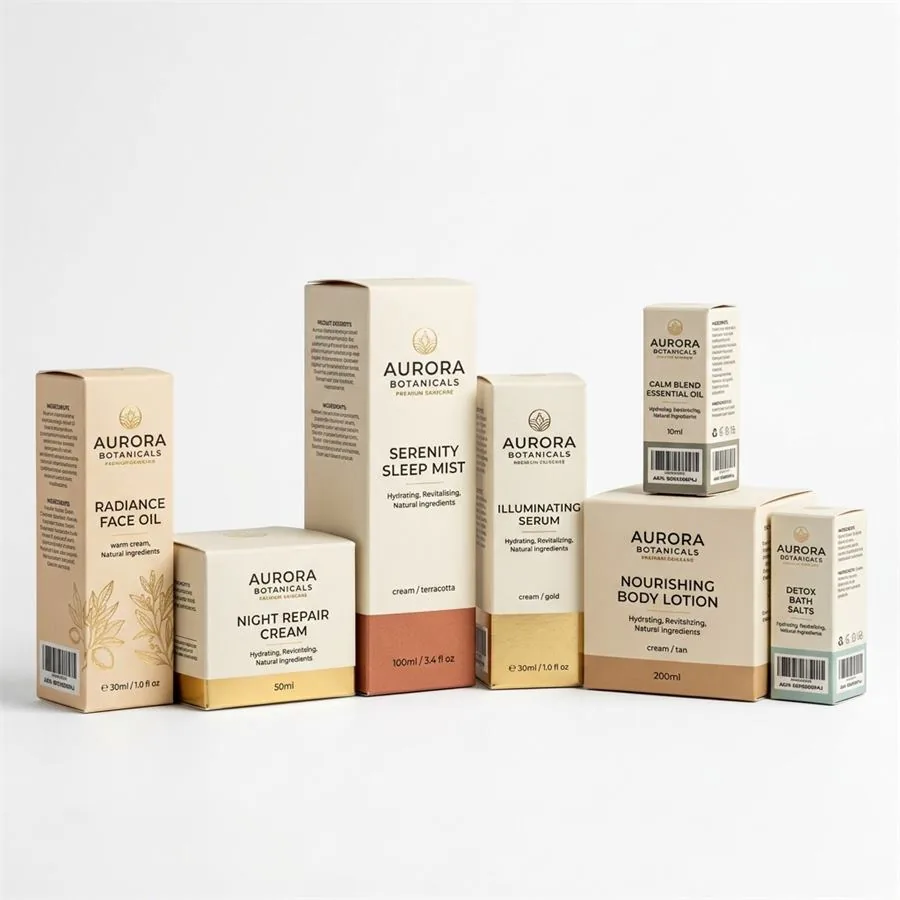
- Image 6: "What's included in the box?" — Flat-lay or product family shot showing all components.
- Image 7: "Why should I trust this brand?" — Social proof image, award callout, or materials close-up.
AI-assisted production can support secondary scenes, layout exploration, and controlled variations when every product fact comes from seller-supplied source material. The written Pixelense scope confirms the final image count, formats, and review points.
From One Product Reference to Seven Listing Images
The useful promise is not that one casual photo can be turned into anything with no review. The useful promise is that one verified product reference set can anchor a complete listing system. Start with clear front, back, side, top, detail, and packaging photos. Approve the product shape, label, colour, and finish once, then build each image slot around a different buyer question.
- Lock the product reference: verify proportions, label artwork, cap or closure, materials, colour, and included components.
- Create the compliant main image: use a pure white background, remove unsupported props, and check the product's frame coverage.
- Generate lifestyle directions: place the approved product into contexts that match the buyer and category without changing the product itself.
- Add proof images: use real dimensions, feature callouts, packaging contents, and material close-ups supplied by the seller.
- Review at listing size: inspect mobile readability, text size, edge detail, and product consistency across all seven images.
Do not let AI invent compliance facts. Dimensions, ingredients, certification marks, performance claims, label text, accessories, and package contents must come from the seller's source material. A visually polished listing that shows the wrong product detail creates returns and account risk rather than conversion.
A+ Content: The Visual Upgrade Most Sellers Underuse
Amazon A+ Content is available to eligible sellers and allows richer media modules on the product detail page. It can help explain features, comparisons, ingredients, materials, and brand context, but the conversion effect varies by product and should be measured in the seller's own experiments.
Module availability, dimensions, and eligibility can change. Build the copy and source imagery around the modules shown in the seller's current A+ Content Manager, then export each approved asset to that live specification.
Where AI-Assisted Production Helps—and Where Photography Still Matters
AI-assisted production is useful for exploring secondary lifestyle scenes, campaign mood, copy-safe compositions, and variations after the product identity is locked. Verified photography remains the safer route when the main image must prove exact geometry, material, colour, contents, or a regulated detail.
The practical choice is often hybrid: photograph or composite the product truth, then use controlled AI-assisted production for the environment and secondary story. Compare quotes using the same deliverable list, revision assumptions, and channel exports instead of comparing a single generated image with a complete studio gallery.
Verified Pixelense example: Ciana's complete Amazon gallery
Pixelense delivered Ciana's current product, pack-of-two, lifestyle, interior, detail, and feature-focused listing images in under 48 hours. The timing applies to that project only; no sales, revenue, or conversion outcome is claimed.
Read the Ciana case study or review the Amazon listing image service.
International Amazon Marketplaces: Image Standards Across US, UK, and Germany
FBA sellers expanding across Amazon.com, Amazon.co.uk, Amazon.de, and other European marketplaces should not assume one file set is ready everywhere. Check category rules, available modules, language, units, claims, pack contents, and local legal review for each destination.
- Language: Localise approved infographic copy rather than baking one language into every master image.
- Units and dimensions: Confirm measurement systems, size references, and package information for the target store.
- Claims: Re-review benefits, certifications, and regulated statements for the destination market.
- Modules: Build against the modules and specifications available in the seller account at production time.
A controlled master composition can make local variants easier, provided every language, dimension, claim, and pack detail is supplied and approved by the seller.
How to Compare Cost Per ASIN
Request quotes against the same scope: number of final images, number of ASINs, source photography, A+ modules, language variants, retouching, review rounds, and exports. Include seller time for reference preparation and approvals. A lower per-image number is not a useful comparison if the quote omits product-accuracy work or required variants.
Getting Started: What to Send Pixelense for Amazon Projects
You do not need a professional camera or a home studio to work with Pixelense. Here's what we need to produce your Amazon image stack:
- Clear phone photos of your product — front, back, both sides, top, bottom, and any key detail areas
- A brief describing the lifestyle context you want (e.g., "kitchen counter, morning coffee scene" or "gym bag in locker room setting")
- Any specific feature callouts you want highlighted in infographic images
- Your brand colour palette and logo (for A+ Content modules)
- Which Amazon marketplace(s) you're targeting, so we can localise where needed
From those inputs, our team produces your full Amazon image stack — white-background main image, lifestyle shots, infographic callouts, and A+ Content banners — delivered as named, correctly sized files ready for direct upload to Seller Central.
Visit our project intake page to start your Amazon photography project, or explore our portfolio to see examples of our Amazon-ready deliverables.
Related Decision Paths for Amazon Sellers
A strong Amazon listing usually needs several decisions before image production starts. Use these paths to avoid mixing compliance images, lifestyle scenes, and ad assets into one confused brief:
- Main image vs. lifestyle: Keep the compliant white-background image separate from the carousel scenes and A+ Content visuals.
- Expanding beyond Amazon? Compare the Shopify image workflow, Etsy seller photography guide, TikTok Shop creative workflow, and Google Shopping product image requirements.
- Preparing source photos? Use phone product photography for AI references so label, scale, and material details are visible.
- Need service-level planning? Review Amazon listing image production or compare costs in AI vs. traditional studio photography.
Marketplace listing images
Request a project-fit review for your next image set.
Share the product, sales channel, deliverables, and timing. Pixelense will recommend the clearest scope without changing the published starting rates.