
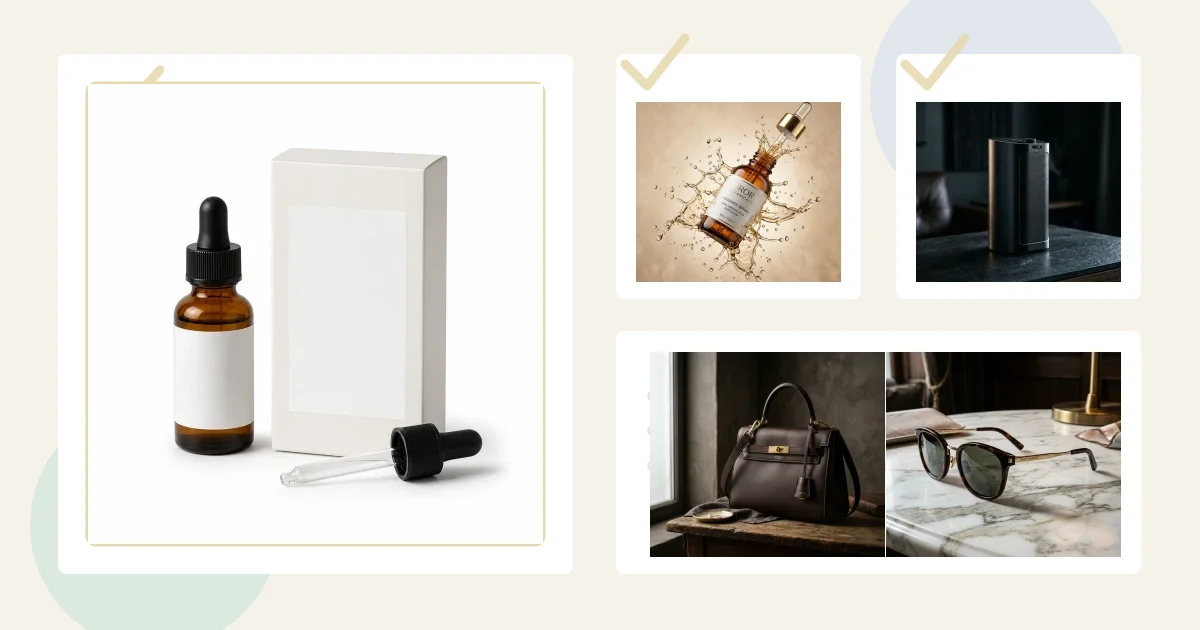
Google Shopping product image requirements are stricter than a normal Shopify or website gallery because your main image is not just a brand asset. It is feed data. If the product image is too small, blocked by robots.txt, covered in promotional text, mismatched to the variant, or obviously not the real product, the listing can lose visibility or be disapproved in Merchant Center.
Most merchants looking this up are not browsing inspiration. They are trying to get products approved, improve click-through rate, or prepare images for Shopping ads, free listings, Performance Max, and Google surfaces. This guide turns the official rules into a practical photography workflow.
Free technical preflight: Before upload, run the file through the ecommerce product image checker to catch dimension, file-size, format, aspect-ratio, and common border/background issues. Then use the platform-specific guidance on this page for the final publishing decision.
Marketplace listing images
Want a practical recommendation for your product?
Share the product, sales channel, deliverables, and timing. Pixelense will recommend the clearest scope without changing the published starting rates.
The Google Shopping Image Checklist
Google's image link documentation says the main product image is submitted through the image_link attribute. The simplest way to think about it: the image must be technically crawlable, visually accurate, and clean enough for Google to show next to competing offers.
- Use a real product image: the main image should show the actual item, not a generic illustration, logo, placeholder, or mood board.
- Prepare for the new minimum: Google has announced at least 500 x 500 pixels for all product images beginning January 31, 2027. Warnings for smaller images begin in July 2026; before enforcement, the documented minimum remains 100 x 100 for non-apparel and 250 x 250 for apparel.
- Aim higher than the minimum: Google recommends images near or above 1500 x 1500 pixels for stronger performance across listing formats.
- Stay under technical limits: no image larger than 64 megapixels and no file larger than 16MB.
- Avoid disallowed overlays: no promotional text, watermarks, borders, price callouts, shipping claims, retailer logos, or barcodes covering the product.
- Match the variant: if the product is black leather, the image should not show brown suede. Color, material, pattern, and size cues matter.
- Make the URL crawlable: the image URL must start with
httporhttps, use a supported file type, and allow Googlebot and Googlebot-image access.
Where AI Product Photography Fits
AI product photography can be excellent for Google Shopping, but it needs stricter art direction than social media creative. The feed image is not the place for a cinematic scene, giant prop set, discount text, or fantasy background. The job is clarity first: show the product accurately, in a high-resolution image, with no visual clutter that could trigger a policy issue.
For Pixelense projects, we usually separate the image stack into three groups. First comes the main feed image: centered product, clean background, exact variant, high resolution, no overlay. Second come additional product images: side angles, packaging, texture close-ups, scale context, and ingredient or material detail. Third come lifestyle and campaign images: scenes for product pages, Google assets, email, landing pages, and ads.
That separation matters. Google allows additional and lifestyle images to do more storytelling, but the main image still needs to behave like reliable product data.
AI Metadata: Do Not Strip It
Google's AI-generated content guidance says images created with generative AI must preserve metadata indicating the digital source, such as IPTC DigitalSourceType values. This is easy to miss when images are compressed, renamed, exported through plugins, or run through bulk optimization tools.
The operational rule is simple: if AI was used to create or materially alter the image, preserve the metadata that identifies it. Do not run your final feed images through a workflow that strips all metadata unless you have a compliant replacement process.
A Conversion-Focused Image Stack for Google Shopping
A strong Google Shopping image set is built around the buying decision, not around one pretty hero shot. For most ecommerce products, prepare these assets before uploading to Merchant Center:
- Main feed image: the cleanest version of the product, centered, high resolution, no overlays, no border, no misleading props.
- Secondary angle: a different angle that proves shape, dimensions, closure, back label, material, or construction.
- Detail close-up: texture, hardware, stitching, ingredients, finish, screen, nozzle, cap, sole, or packaging quality.
- Scale or use context: one lifestyle image that helps the buyer understand size and real-world use without hiding the product.
- Ad crop variants: square, portrait, and landscape exports so your creative stays sharp across Google placements.
Common Rejection and CTR Problems
When a product image performs badly on Google, the problem is often one of four things. The image is technically valid but too small. The product is lost in a large lifestyle scene. The image shows the wrong variant. Or the seller reused a social ad with text, badges, price claims, or a border.
The fix is not to make the image louder. The fix is to make it more useful. A clean main image earns approval and trust. Supporting images and landing-page visuals can do the emotional selling after the click.
Pixelense Workflow for Merchant Center Images
For Google Shopping projects, Pixelense starts with product references, packaging details, label artwork where needed, and the exact variant list. We create a compliant main image first, then build the rest of the gallery around conversion: detail, scale, lifestyle, and ad-ready crops.
If you already have a Shopify store, pair this with our AI photography for Shopify stores guide. If you sell through multiple marketplaces, compare the Google workflow with our Amazon seller photography guide and TikTok Shop product photo guide.
Related Decision Paths for Merchant Center Teams
For Google Shopping, the safest workflow is to decide which asset is feed data and which asset is conversion support. These pages help separate those jobs:
- Feed image first: Use a clean, crawlable product image for
image_linkbefore creating lifestyle or campaign crops. - Store and ad alignment: Pair this with the Shopify AI photography workflow and Shopify image size guide.
- Multi-marketplace sellers: Compare Amazon listing images and Walmart Marketplace product image requirements.
- Proof and source quality: Review Pixelense portfolio transformations and how to photograph products with your phone for AI.
FAQ
Can AI-generated images be used for Google Shopping?
Yes, but they must accurately represent the product and preserve the required AI-generated image metadata. The main image should still follow normal image-link rules.
What is the best size for Google Shopping product images?
Google has announced a 500 x 500 pixel minimum for all product images beginning January 31, 2027, with warnings beginning in July 2026. For practical performance, work near or above 1500 x 1500 pixels when possible, then export web-ready files without destroying quality.
Can the main image show lifestyle props?
Use minimal staging for the main feed image. Put richer lifestyle scenes in additional images, landing pages, and ad creative where they support the buyer without confusing the feed.
Marketplace listing images
Request a project-fit review for your next image set.
Share the product, sales channel, deliverables, and timing. Pixelense will recommend the clearest scope without changing the published starting rates.