
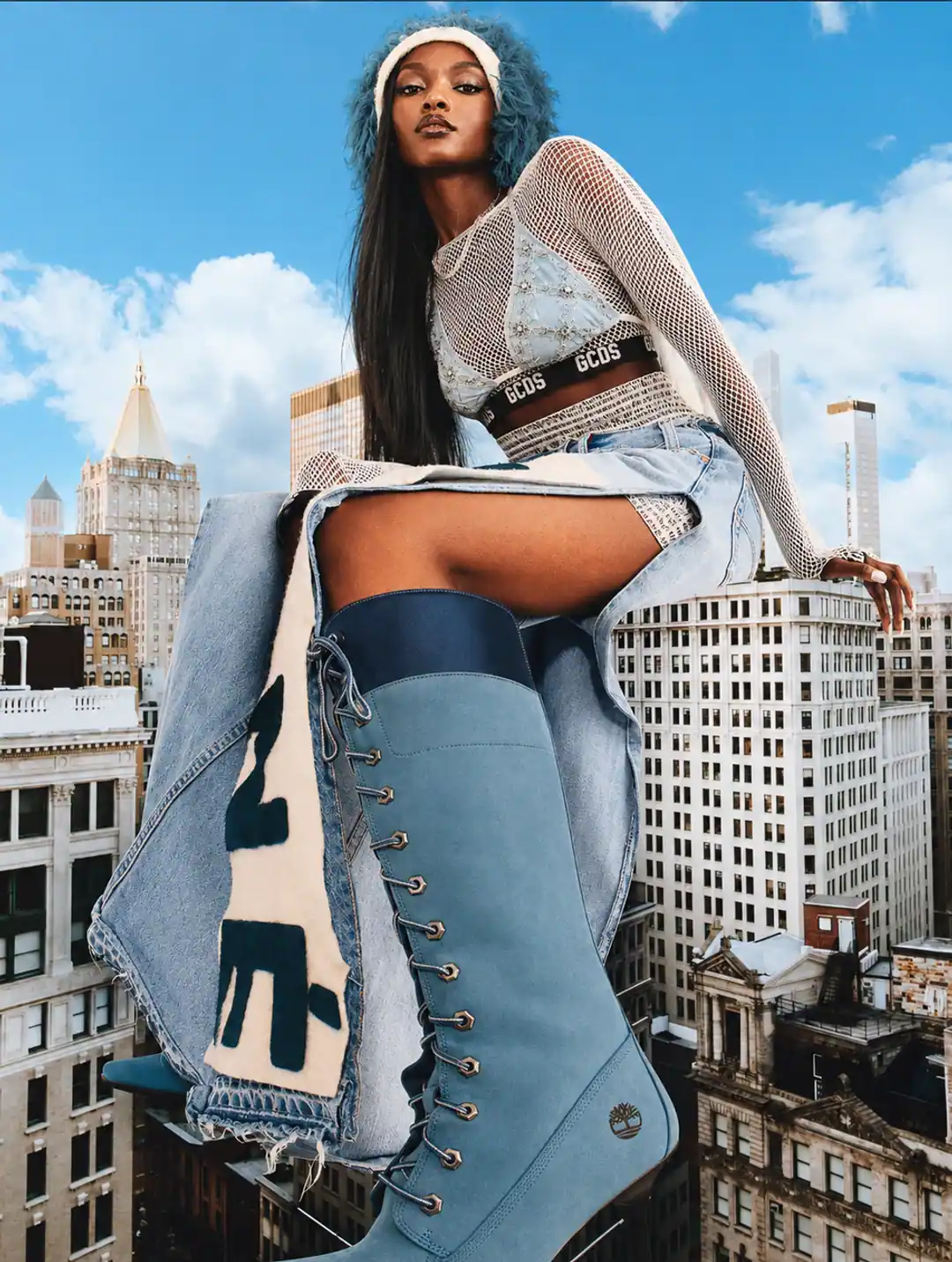
AI product photography with models has become one of the most useful search-led visual workflows for ecommerce brands in 2026. The reason is simple: a product-only image can prove what the item looks like, but a model-led image can show scale, use, mood, and identity in one frame. That matters for apparel, jewelry, skincare, supplements, accessories, beauty tools, handbags, home goods, and any product where the buyer wants to imagine the item in real life.
The trap is treating AI model photography like a shortcut around truth. A synthetic model can make a scene feel premium, but if the product shape changes, the fabric fit becomes impossible, the label bends into nonsense, or the model implies a real endorsement that never happened, the image stops helping. The strongest ecommerce teams use AI models as a controlled production layer, not as decoration.
Human-led visual production
Want to test model-led AI product photography?
Send one product photo and the channel you care about. We will show a founder-reviewed sample direction before you commit.
What AI model photography actually means
For ecommerce, AI model photography does not have to mean a full fashion editorial. It can be a hand holding a perfume bottle, a wrist wearing a watch, a model applying a serum, a supplement jar placed beside a fitness routine, a handbag carried at street level, or a garment shown on a virtual model. The model is there to answer a buying question: how big is it, how does it sit, who is it for, and what kind of lifestyle does it belong to?
That distinction matters because each use case carries a different accuracy burden. A hand model holding packaging is mostly about scale and mood. Apparel on a model is about fit, drape, seams, sleeve length, fabric weight, and body proportion. Jewelry on skin is about metal color, gem scale, clasp placement, and reflection. Beauty model imagery is about usage context without pretending to show clinical results.
Why this keyword is worth targeting now
Live search results for AI product photography in 2026 show a clear split: generic product-photo generators on one side, and newer virtual model or on-model ecommerce workflows on the other. That makes "AI product photography with models" a better topic than another broad "AI product photography trends" post. The query has commercial intent, but it still needs education because buyers are not only asking for pretty images. They are asking whether this is safe to use on product pages, ads, and marketplaces.
The best ranking angle is therefore practical: explain how to use AI models while protecting product accuracy, ad trust, and marketplace eligibility. That is also where a human-supervised studio has a stronger story than a one-click generator.
Best ecommerce use cases
- Apparel and accessories: show fit ideas, outfit context, scale, color styling, and campaign crops without building a full physical shoot for every drop.
- Beauty and skincare: create hand application scenes, vanity moments, spa-style rituals, and editorial close-ups while keeping packaging and product texture accurate.
- Jewelry and watches: show ring scale, wrist presence, clasp detail, layering, and skin-tone styling in a way that a flat product image cannot.
- Supplements and wellness: use model-adjacent lifestyle scenes for routine context, but avoid visual claims that imply a health outcome the product cannot prove.
- Bags, footwear, and lifestyle goods: show proportion, carry style, and environment fit across city, studio, travel, and editorial scenes.
Where model-led AI images should not be used
The main marketplace image is usually the wrong place for a cinematic model shot. For Amazon, Walmart, Google Shopping, and many other feed-driven placements, the primary image should normally be clean, direct, and product-first. Model-led images work better as secondary gallery images, product page assets, landing page heroes, paid social creative, email headers, lookbooks, and campaign visuals.
There are exceptions. Some fashion categories require or expect an on-model view. Even then, the image should serve the product, not bury it. A model image that hides the item under pose, styling, or background atmosphere may look editorial but perform badly because shoppers cannot inspect the thing they are buying.
The accuracy checklist
Before an AI model photo goes live, inspect it like product data. The model can be synthetic, but the product truth cannot be synthetic. Our internal QA checks focus on these points:
- Shape: the silhouette, dimensions, cap, sole, clasp, handle, neckline, sleeve, or bottle geometry should match the reference.
- Color: fabric, packaging, metal, liquid, glass, label, stitching, and finish need to stay close to the real product.
- Scale: the product should not become too large, too small, or physically impossible in the hand, on the body, or in the room.
- Text and labels: visible product text should be readable or intentionally hidden. Never publish distorted label copy as if it were real packaging.
- Fit and anatomy: hands, fingers, wrists, shoulders, feet, hair, and garment seams need a manual review because these are still common failure points.
- Lighting: contact shadows, reflections, and highlights should make the product feel physically present in the scene.
- Channel crop: check the image in square, 4:5, 9:16, and banner crops before approving it for ads or PDP use.
Disclosure and AI metadata
For Google Merchant Center, AI-generated images need to preserve metadata that identifies the digital source, such as the IPTC DigitalSourceType value described in Google's AI-generated content guidance. In practice, do not run final images through an optimizer that strips all metadata unless your workflow replaces it in a compliant way.
There is also an advertising-trust layer. FTC guidance around online advertising focuses on whether the net impression is misleading and whether disclosures are clear and prominent. For AI model photography, the practical rule is: do not imply a real person used, wore, reviewed, or endorsed the product unless that is true. If the synthetic nature of a model is material to the claim being made, do not hide it in tiny copy.
Fashion product photography
Want a practical recommendation for your product?
Share the product, sales channel, deliverables, and timing. Pixelense will recommend the clearest scope without changing the published starting rates.
A model-led image stack for product pages
A strong ecommerce gallery does not replace clean product images with model shots. It combines them. For most brands, a safe model-led product page stack looks like this:
- Clean product-only main image for search, feed, and marketplace clarity.
- Product angle or packaging detail to prove the exact SKU.
- Hand model or close-up scale shot.
- On-model or model-adjacent lifestyle image.
- Texture, material, ingredient, or construction close-up.
- Campaign crop for mobile banners and paid social.
- One vertical 9:16 image that can pair with TikTok, Reels, or story creative.
If you are using Shopify, add concise descriptive alt text to each media item. Shopify's own help center notes that alt text is shown when an image cannot load, helps assistive technology, and can support SEO. Keep it descriptive rather than stuffed: "model holding amber supplement bottle in gym routine scene" is better than repeating the same keyword five times.
Prompting direction that works
Prompting for models needs more restraint than prompting for background-only product images. Start with the product facts, then define the model role, then define the channel crop. A usable brief might say: "Use the supplied product reference. Keep bottle shape, cap color, label hierarchy, and product scale unchanged. Create a hand-model application scene on a warm bathroom vanity, natural morning light, premium skincare mood, 4:5 crop, product label facing camera, no extra text overlays."
For apparel, the brief should include garment constraints: sleeve length, neckline, waist position, fabric drape, print placement, closure, fit, and whether the scene is catalog, street, studio, or campaign. For jewelry, specify metal tone, gemstone scale, skin tone range, finger or wrist angle, and how much reflection is acceptable.
Pixelense model-led workflow
Pixelense treats model images as a supervised production workflow. We begin with the product reference, define the model's job in the frame, generate channel-specific concepts, retouch selected outputs, and manually QA product accuracy before delivery.
- For ecommerce: keep product-first assets for feeds, then add model-led secondary images for context and conversion.
- For campaigns: build consistent model direction across hero, square, 4:5, and 9:16 crops.
- For marketplaces: separate compliance images from lifestyle and ad assets so the listing stays safe.
Internal links for the next step
If you are deciding whether AI model photography belongs in your current content plan, start with your sales channel. Shopify and DTC brands can use model-led images across PDPs, landing pages, email, and paid social. Marketplace sellers should first read the image rules for the platform, then decide where model imagery belongs in the secondary carousel.
You can compare this with the broader ecommerce AI product photography service page, the Google Shopping product image requirements guide, the Walmart product image checklist, and our AI product photography process.
FAQ
Can ecommerce brands use AI models for product photography?
Yes. The safest use is model-led secondary imagery: hand models, scale shots, on-model views, campaign crops, and lifestyle scenes that keep the product accurate.
Is AI model photography good for fashion?
It can be, especially for lookbook, campaign, and secondary PDP images. Fashion requires stricter QA because garment fit, seams, sleeve length, fabric drape, and pattern placement can shift if the workflow is loose.
Should AI model photos disclose that the model is synthetic?
If the synthetic model could affect the customer's interpretation of the claim, disclose it clearly. Do not imply a real person wore, reviewed, used, or endorsed the product unless that actually happened.
Human-led visual production
Ready to see your product in a model-led scene?
Send one product reference and tell us the sales channel. We will create a sample direction with product accuracy checked before delivery.
Fashion product photography
Request a project-fit review for your next image set.
Share the product, sales channel, deliverables, and timing. Pixelense will recommend the clearest scope without changing the published starting rates.